Write a letter on your Android phone, select a PDF or photograph paper pages. Check the prepared PDF and exact price before confirming that it should be posted.
Ta strona jest po angielsku.
Co możesz z tym zrobić
•Write a new letter without uploading a file.
•Combine photographed pages into one PDF, or select an existing PDF through the Android file picker.
•Review the price and follow your letters from the same account.
Jak to podłączyć
1Download the signed SendLetter APK using the installation button below. Open it on Android 7 or later. If Android asks, allow this installation from your browser and turn that permission off again afterwards.
2In the app, sign in with your SendLetter account and approve the connection in the browser. Return to SendLetter when sign-in finishes.
3Choose New letter and check the complete recipient and return addresses, including the separate house number and destination country.
4Write your letter, choose Send a file for a PDF or image, or choose Scan a document to take a photo of each page. Check the thumbnails and remove unclear photos before selecting Use pages.
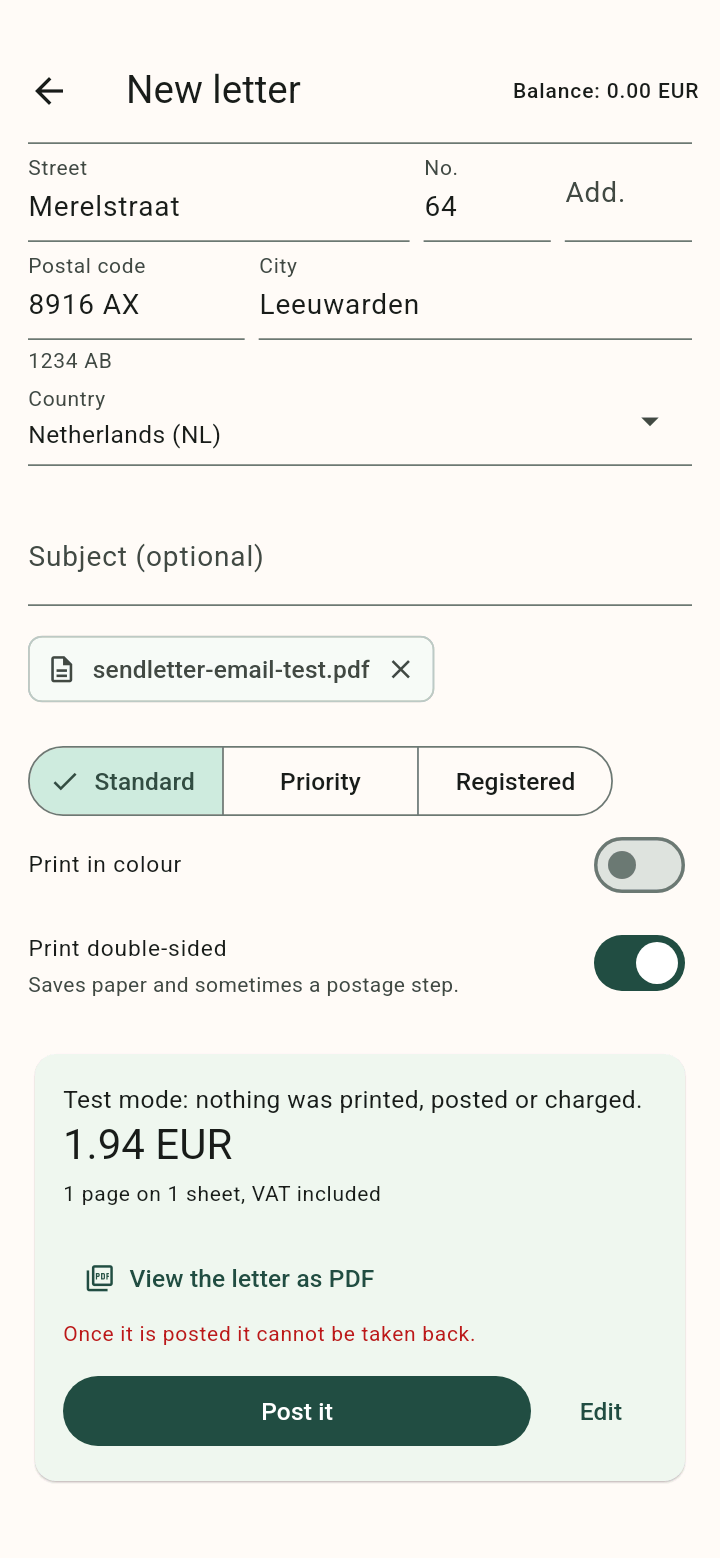
5Choose the delivery and printing options, then Check the price. Open View the letter as PDF and check the addresses, every page and the exact total.
6Choose Pay for this letter to pay for this physical letter through the secure payment screen, or Post it · Balance to use your existing credit. Successful direct payment starts sending this letter.
7Use the wallet button to add EUR 10, 25, 50 or 100 for future letters. Adding credit never sends a letter. After payment, check the updated balance or letter status; bank confirmation can take time. An unpaid letter stays saved and can be reopened.
8Return to the letter list to follow its status. Test mode simulates the process without printing, posting or charging.
The download installs SendLetter directly from this website. Photographed pages are fitted to A4 without automatic perspective correction: keep the phone parallel to the paper and use even lighting. For updates, return here and install the latest signed APK.
Examples from the tested integration
The Android app after selecting a PDF through the system file picker. Review the PDF and exact total before choosing Post it. This screenshot uses test mode.